


- Joined
- Apr 2025
- Subscription
- Free
Admissions profile
Discussions

@juliet7sage said:
Hi @willcj343411
We looked at your account and we noticed that you took the PrepTest using the Answer Sheet. However, the "LSAT flex mode" checkbox was not ticked. You can edit your PrepTest by selecting the PrepTest on the PrepTest tab. Next, tick the checkbox that says "LSAT flex mode" then tap the "Save and Score LSAT" button. See the GIF below:
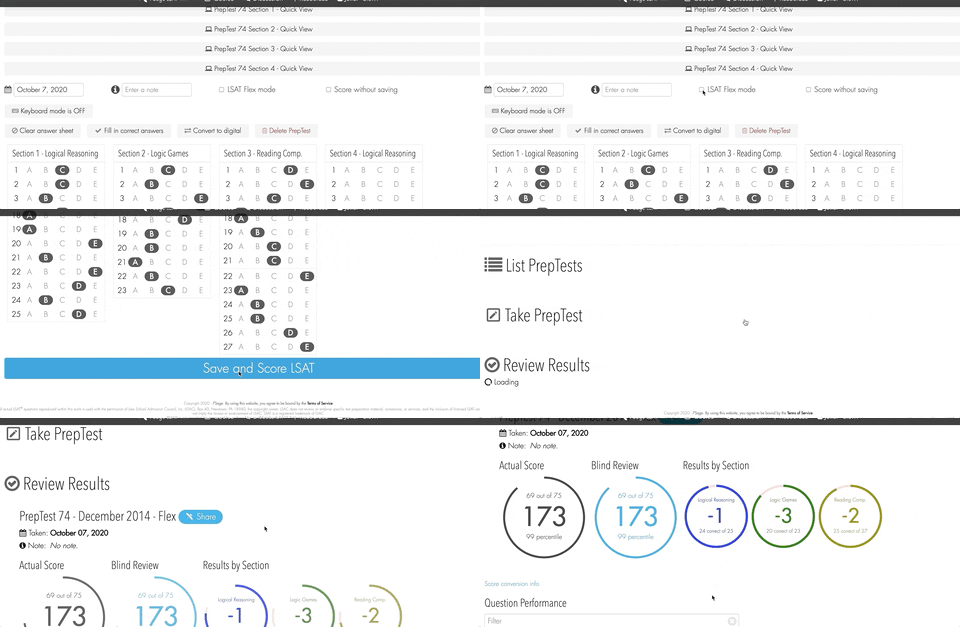
I hope this helps! Let us know if you're still having trouble.
I definitely took the test as a Flex test, so I think the problem came from trying to view my score on the app or something. Thanks for the help in changing the scores back!
@juliet7sage said:
Hi @willcj343411
Sorry for the trouble. To help us investigate the issue, can you tell me which PrepTests you are having the issue with?
Thank you.
74 and 75
Basically the title. A test I got -6 on with Flex now shows -32. Not a huge deal, but it would be nice to have an accurate tracker of my scores. Not sure if there's something I should change. I know that I took it as a Flex test as well, as the score originally showed up as it should. Any advice?
I've been feeling the same way. Pretty hard. I need to take more practice tests for sure, but my most recent score I had a hard time believing at all. What I keep trying to reassure myself of is this: had you sat for that exam you'd have gotten that score, which means you can do it again. Sometimes things just click, and they get a little easier. Maybe that's happening to you! Seize it, capitalize on it, and keep plugging away. The higher your ceiling, the easier it'll be to get that magic score you'll be happy with on test day!
Yeah I've actually since realized that using the generic Flex score converter just gave a different score from what you get if you convert the raw score and find the scaled score from that instead. Thanks for the help!
Just took my first LSAT after I started studying. Since I will be taking the Flex in November, I felt taking a PT as close to possible as how it will be on test day made the most sense. So I clicked the Flex option. At the end, the score displayed seemed based on the number wrong in a 4-section test, and not a predicted score. It also recorded my score as if I had done the extra LR section. Is there a way to change this? I want a more accurate record and to not get overly excited at the end of the test.
I found the earlier tests similarly less challenging. And by tests I mean test. But the way to “fix” that is simply getting used to more recent tests by using them as PTs.