


Are we using paper journals or is anyone using a note program on an app they like? I'm a pretty slow writer and writing them out is taking forever. I was debating on getting an iPad (which I would use for other things) and using a digital pencil to do a wrong answer journal. If I did that, I would, ideally, like to find a program where I could hide the correct answer, and my notes, until I want to see them (kind of like how you can press the button to show the notes during review here). Has anyone tried this?
2
14 comments
I use excel. I have a drop down to put the question type, a cell with the PT, section, and question number with a direct link to it, a cell for why I got it wrong, and why the right answer is correct, and what I can do better next time. If I 100% understand I highlight it green, yellow for iffy, and red if I have no clue. I go back over my yellow and red over the next weeks till I can turn it green.
@Kihla333 I know statistics tend to show that writing things helps you to remember them better. Do you feel like doing it in excel is as beneficial as if you had just written it all out?
@APBookninja I'm someone who alwayssss use to write everything out because it helped me remember it better. I found that doing this though, keeps me more organized, and it takes the busy work out so I can intentionally study better. I still handwrite some things. Any big picture ideas I come across, common traps I fall for, PT patterns, I bullet in a physical journal. I have my journal separated for question types and passage types, and will jot down notes I see regularly on my excel to reinforce those ideas, or after clasess. I also think re-reading my Excel, and going back to questions after a few days really helps.
@Kihla333 thank you for your experience. I was wondering if the trade off would be more beneficial. I know everyone is different but it still helps gets others perspectives. Good luck on your journey!
I've been using the wrong answer journal template in the 7Sage notes section. It's convenient to just click on the note icon right from the question I'm working on. However, I'm finding going back to read my wrong answer journal notes a little difficult, so I'm considering switching to a spreadsheet that will be more flexible and easy to use for review.
@kellymarie I bit the bullet and got myself an iPad to do my wrong answer journal with and I am absolutely loving it. It takes me far less time to complete and I am able to hide what I want so that when I review I can try again before seeing certain notes and the correct answer choice. I do like the template in the notes section on here though and I still use it.
Here are my two cents. First of all, I have yet to find a program like that, but it's a great idea... who knows, maybe you could make it one day!
Secondly, I use Google Sheets.
PROS: It's easy to sort by question type, and you can customize the columns to work for you.
CONS: It doesn't allow you to conceal the ACs and so on.
If I were to start from fresh, here's my opinion of what I would do: in a paper journal or a Google doc, write just my reasoning mistakes. For example 'I didn't read the question stem correctly.' Then, I would use 7Sage's bookmarking extensively to save and note-take on particular questions. Then, I could go back and review them while having the ACs concealed when I want to.
All the best in your studying!
I'm using lsatjournal.com and find it very helpful! You can also pay a bit more to have it synced with 7sage but I find the basic version to work great
@keirakhami I have never heard of that. I will look into it. Thank you very much.
@Stas1973 my daughter has an art app that lets her add layers, so then something can be concealed just by removing the layer. Any chance it has something like that? lol Wishful thinking I suppose.
I just like to try the questions again with fresh eyes before I see the answer and see if I've grown my skills enough to get the question right. I am definitely making a paper wrong answer journal for now and writing out my explanations and highlighting/marking words or phrases that I might miss that make the difference in choosing the right ac vs the wrong ac.
I really appreciate your response. And good luck to you in your journey as well.
In blueprint it was an option but I don't see it here.Maybe they can work on this feature.
@astorialovescake We have this option but please let me know what more you'd like to see for a wrong answer journal: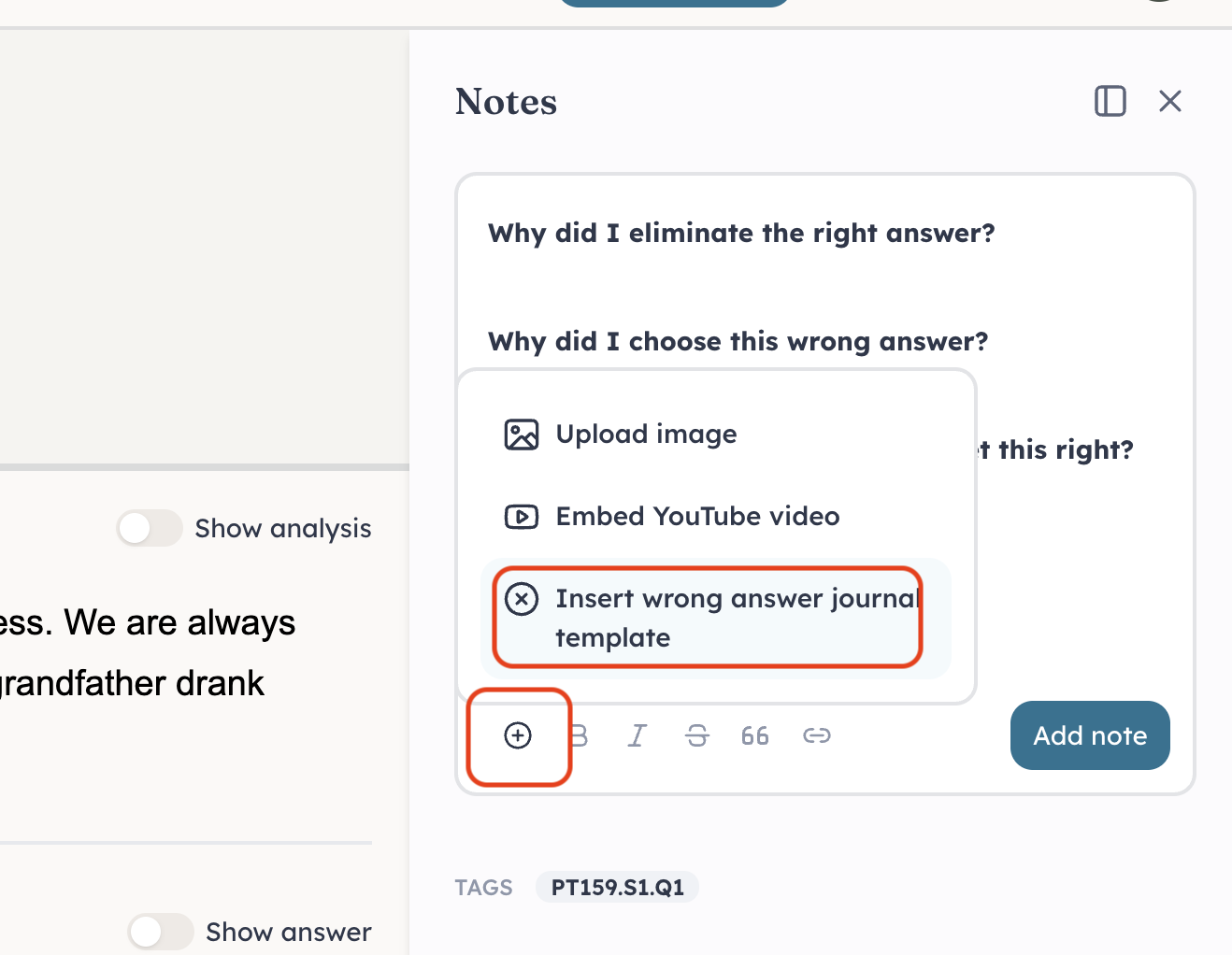
@J.Y.Ping thank you so much for that. I don't know how I never noticed that feature before. That is very helpful when I'm making my notes for the questions I've gotten wrong.
Thanks so much! I didn’t notice this either. I will have to explore this and get back to you. @J.Y.Ping