


- Joined
- Mar 2025
- Subscription
- Core
Admissions profile
Discussions
I wanted to request that the "date first taken" filter be modified so that you can more easily filter for questions that you have not attempted in a long time, e.g., perhaps adding an indicator of how many days ago you last attempted a question (presumably a variant of the "most recent" filter could accomplish this as well). As someone who has drilled a lot of questions throughout my LSAT studying process and only drills a certain subset of the material (questions of a specific type of a certain difficulty level, as per my analytics), it would be great to be able to more easily discern material that I have not encountered in a while. Thank you!
When attempting to blind review questions after drilling, my 7sage interface times out and returns a blank screen with an "Internal Server Error" message. I was curious if any others have encountered this as well, and would appreciate any help troubleshooting. I'm on a Chrome browser and the issue persists across different browsers/after restarting my computer/changing internet connections.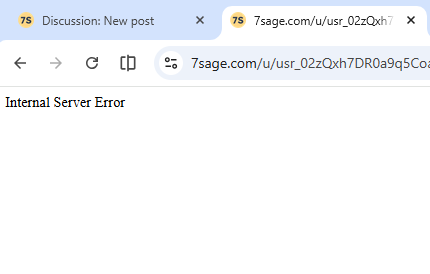

@Temporubato I've tried on multiple browsers (Chrome and Safari); the problem persists across both. I think it's an issue on the back end with 7sage if so many people are running into this issue.
@legallyhaya I saw that someone from 7sage's student services reached out to you earlier; did what they recommend work? If so, could you please share it with me (e.g. over DM?)? Thanks! Best of luck with your practice test review--hopefully this gets solved!
I'm currently running into an issue where, during blind review, my test-taking interface will begin timing out when I switch between questions. The problem persists after clearing my browser cookies, restarting my computer, and trying to use 7sage on different computers; I've also seen other users post about the same glitch. The interface also has generally been quite slow/irresponsive during blind review as well. I'd appreciate any help with this, since it makes the test taking interface functionally unusable. Thanks!
@SaniqueRowe Hi Sanique--I've also encountered this issue as of late; could you please advise on next steps to fix it? Thank you!
@J.Y.Ping I wasn't aware that this is what the LawHub interface looks like--seeing as this is what I'd have to deal with on test day conditions, I'll force myself to get used to it.
I've also encountered this on drills and practice tests--I'm unsure of how to go about reverting it to the prior display settings (so that the question viewer takes up the entirety of the screen). Hopefully it's not a permanent setting and there's a way to switch it back, since it makes question/passage text unnecessarily hard to read.
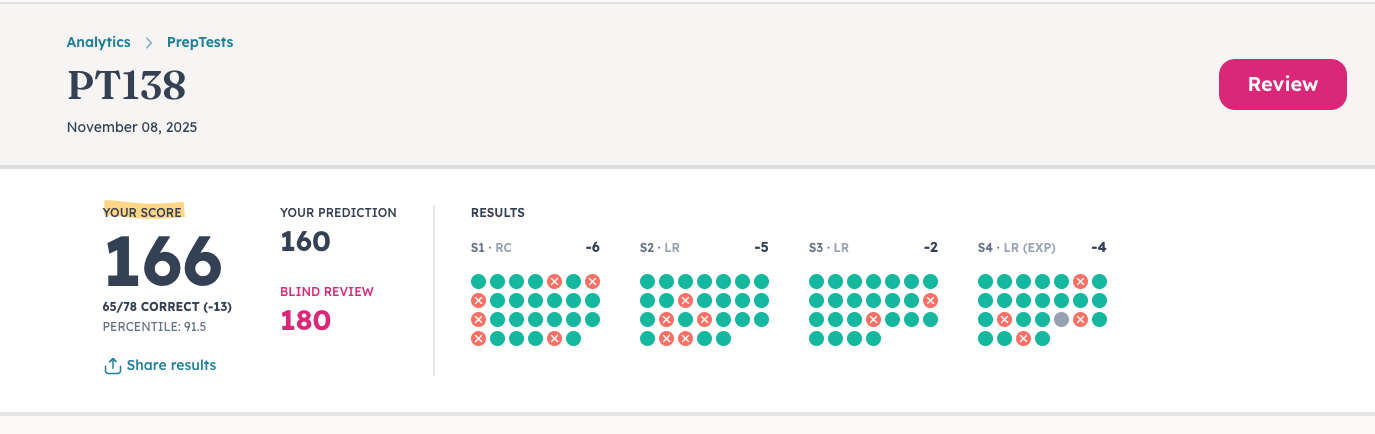
@J.Y.Ping Thanks for your help with fixing this; the issue appears to be resolved on my end. As someone who uses the notes section for wrong answer journaling (and has an extensive notes backlog), do you have any advice on best practices with regard to site functionality?