


Did you know you can customize what 7Sage recommends for blind review? We've added two new options to give you more control:
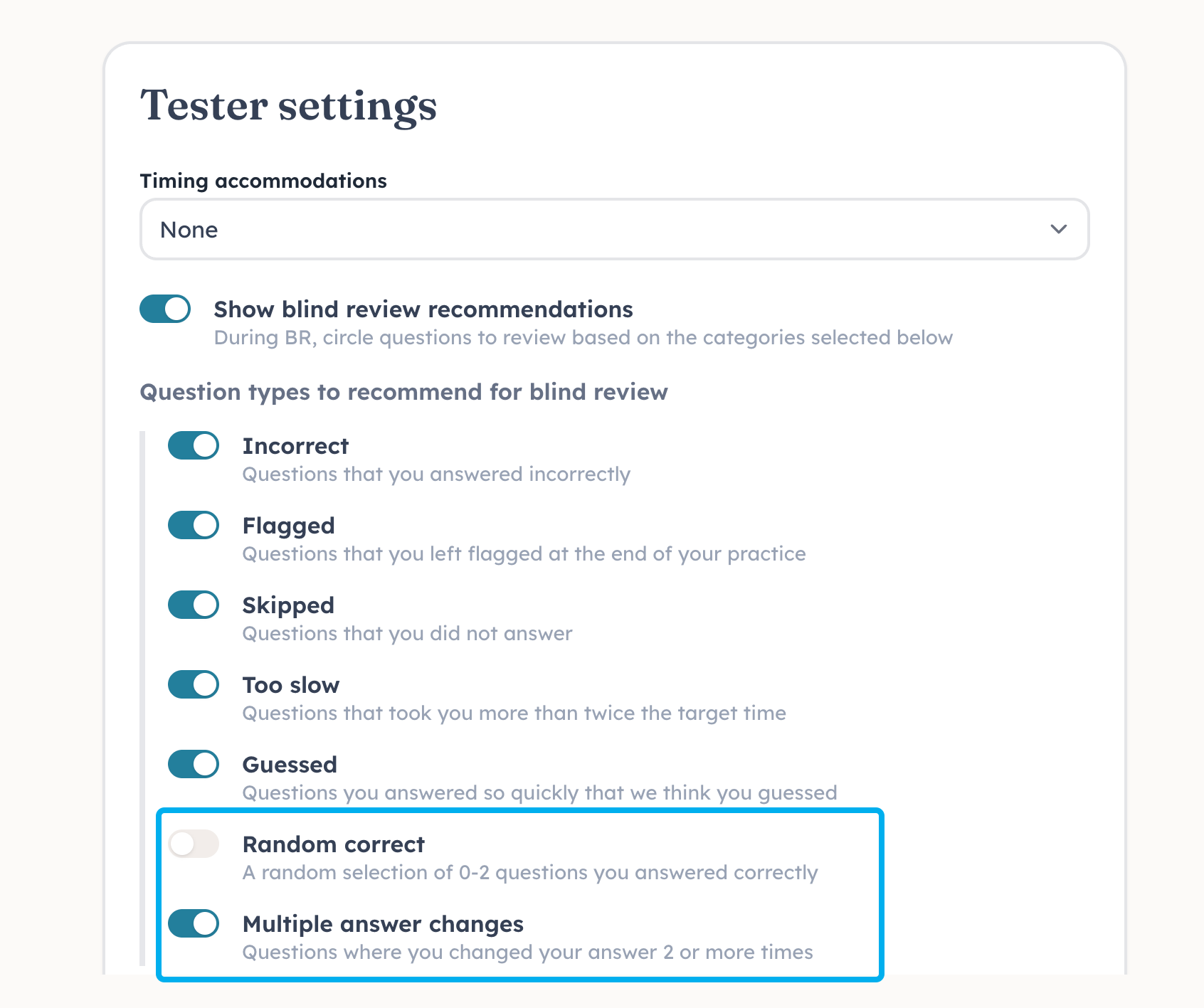
Random correct. We'll recommend a couple of random questions for blind review. This is a great way to keep blind review more blind. The setting is off by default.
Multiple answer changes. We'll recommend questions where you changed your answer two or more times, since you probably weren't certain of your final answer. The setting is on by default.
Change your blind review settings here.
9
6 comments
Note for students:
I know a lot of people don't like getting recommended questions that they got correct. However, resist the urge to select only the "Incorrect" option (or only the "Incorrect" and "Skipped" options). If you leave only the "Incorrect" option flagged as recommended for BR, then you'll automatically know that every question marked for BR is something you got wrong. That means you'll know that you should switch your answer. Often you were only down to two answers anyway, so you'll know that you should switch your answer to the other answer you were considering...and you'll get the question correct on BR without actually understanding anything about why the answer you picked was wrong and the correct answer is correct. This is not just a completely useless form of BR, but it's actually harmful, because it gives you a false sense of improvement.
TL;DR - Don't select only the "Incorrect" option or only the "Incorrect" and "Skipped" options. You WANT to have some questions you got correct recommended for BR so that you don't immediately know that you should switch your answer just because it's recommended for BR.
@Kevin_Lin I find that it giving you the reasoning it was selected makes BR useless in itself.
@Audreychambers7899 Do you mean that being able to see the kinds of Qs recommended for BR in the preferences makes BR less effective because you're aware of the potential range of reasons something might be recommended for BR? If so, would turning on the "Random correct" option help address the concern?
@Kevin_Lin I mean when you hover over the "i" on one that is selected, it will say that you answered this incorrectly. I could refrain from looking but I think it not telling you that you got it incorrect would be much better.
Hi all! I have a question. Is it okay to look at the reason why the question was marked for blind review? I keep going back and forth on this because it feels like its not very blind if I know I marked the wrong answer.
@rjon27 I'd recommend not doing that...as you note, if you know that you marked the wrong answer, the review is not quite as valuable. You likely already had it down to two anyway, and you will often just switch to the other answer without understanding it in BR.