Feature Request
New postRequest new features or give feedback about 7Sage.
36 posts in the last 30 days

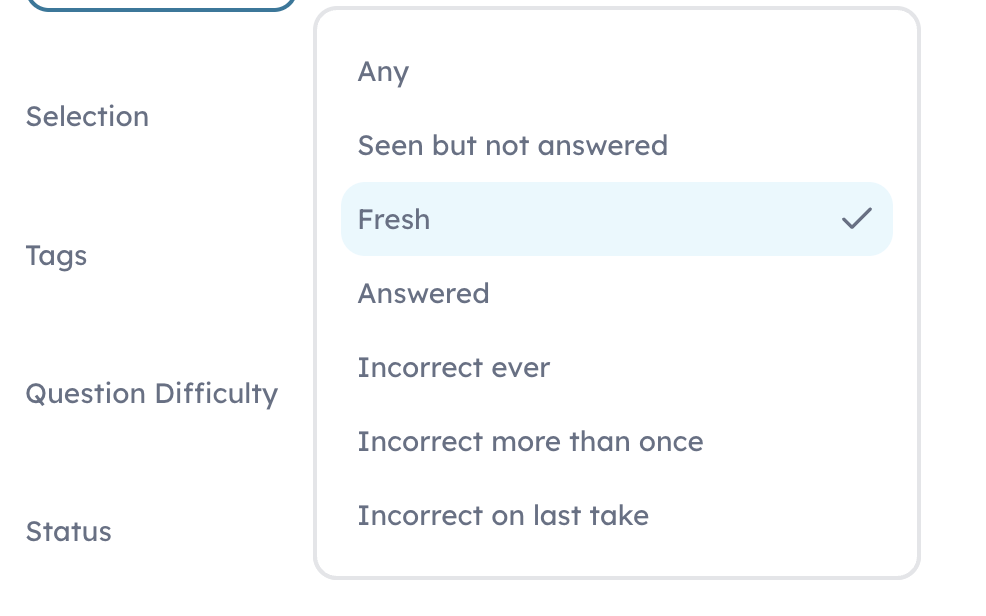
I'd love if we could drill questions that are bookmarked, or have specific qualities like "answered not recently"

Hi!! I know we can track days when we have a streak but I was wondering if there was a way to customize so that I can see how many logins I’ve done for the month instead of just what my streak number is. Also sometimes I have a built in rest day and that affects my streak but then I can’t even see what my last streak was. If there is a way to do this, please lmk! Thanks!!

I noticed there is a way to download and print the PrepTests. Can you add this feature to Sections? Also, can you add a way to input time to complete sections when manually entering answers? I really want to practice on paper since, LSAC has gone back to in-person testing.

I wish there were a feature on 7Sage that would allow us to hide the answer choices so we can break down the question stem and stimulus and predict before looking. Kind of like what we do in spotting the gap classes!
For example:
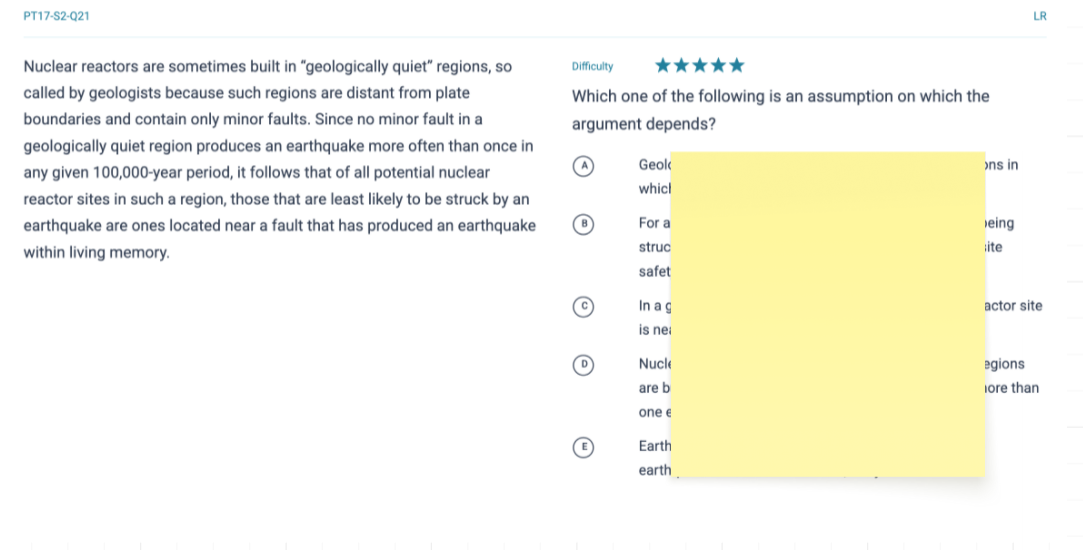
*I had to delete and correct my last post, as it was bothering me that I used the wrong "prephrase" lol. I will now be able to sleep tonight ♡ :’)

Hello,
When attemping to re-do missed questions I am often getting questions that I missed recently. Having a "skip" button would be beneficial, as I typically remembebr these questions and don't want them removed from my "incorrect on last take," option yet.
Hey, is there a way to print the skill builders/quiz? It would be nice to have a button to print, instead of having to copy and paste each question into a PDF or Word Doc. Especially since the instructions state, "Alternatively, you can print quizzes and complete them on paper."
Thanks!

I have been studying for over a year now and have drilled all of the questions available. I think it would be super beneficial to implement a feature that would add the most recent questions answered in a cycle or something that wouldn't allow them to be drilled withing 2 weeks or something. The problem I get is that I click the "any" tab for the question freshness and I have seen questions that I answered yesterday or the day before, even when there is a pool of 2,000+ questions. It would be awesome if it were possible to bring up other questions instead of ones that I remember and can unintentionally answer quicker.
(Backend)It would be super easy to implement a variable tag for each question the gives it a time restraint for a week or so.
Just realized that in dark mode, the video explanations are themselves in dark mode, too. Shoutout to 7Sage for that little detail!

Hello 7Sage team,
I am one of your happy Canadian customers!
I think it's fair to assume your customer base is mostly American students. I am wondering if there could be more regional distinctions when it comes to the 'Admissions' tabs or other applicable aspects of the platform. While we are all writing the same test, our process/market seems to differ from the discussions I've read. I am curious if this is something you've considered adding in the future.

I think a great tool to add to the Admissions Predictor would be to filter by distance. Or even an entire map that shows where every ABA law school is, color coordinated red/green/yellow corresponding to your chances of acceptance, waitlist, and denial.

Right now, if I complete and blind-review a test section on its own, there's no way to have that score count toward a full prep test later. I'd have to manually re-enter my answers into the full test, or retake the whole test and re-answer everything, which distorts the data (since it'd be like having multiple copies of the same score on the same exam).
It would be really helpful to have a feature that lets me combine separately-completed sections into one full-length test score. This would let me properly blind review each section individually while still getting accurate full-test data, without manual re-entry or retaking sections I've already done. I think this would be especially helpful for people who have multi-day testing accommodations or might not have the time to do a full prep test everyday but can do 1-2 sections a day.
 Hi! It'd be super helpful if there was a breakdown of each section within a preptest in this menu, for example
section 1 lr: 80% fresh
section 2 lr: 0% fresh
section 3 lr: 100% fresh
section 4 rc: 100% fresh

Hey everyone! When you are reviewing questions and using the explanation videos, do they also randomly exit out of the video mutiple times? I have to re-open the video to have it continue. It's very annoying, especially since I have to do it mutiple times for one question.

Hi everyone,
I've taken four LR drills and one RC section today that haven't saved to my analytics. Is there something that I'm doing incorrectly or perhaps a browser issue that could be causing this?
For context, after a drill, I usually close out of the pages with the results by going to the Analytics page or closing the tab. I filled in BR answers for each of these drills and the RC section. I could see the results for each of them, but I couldn't access my answers and results again through the Analytics tab.
Thank you in advance!

Why is there no Live Takes module? These videos are very helpful, especially for quickly reviewing different question types, but I can only find them when I happen to come across one in a question explanation during a drill. This is quite frustrating, and hunting them down wastes time and energy that would be better spent learning from them.
Thanks,
Joseph

Ive been curious as to how many hours I spend studying. Sometimes I time myself, and sometimes I forget. I think it would be helpful to see. Maybe next to analytics it could be a graph of time spent, to help people ensure their weekly study goals.

Is there a way to change the setup of your practice blocks? I don't want to do a practice test once per week or I'm worried I'll run out of problems too fast. I take the LSAT on the 12th, but I already know I'm going to need to retake it with a few more months of studying under my belt.

hi! just wanted to make a note that through the 7Sage mobile app in chats, the support button is blocking the "send" arrow! 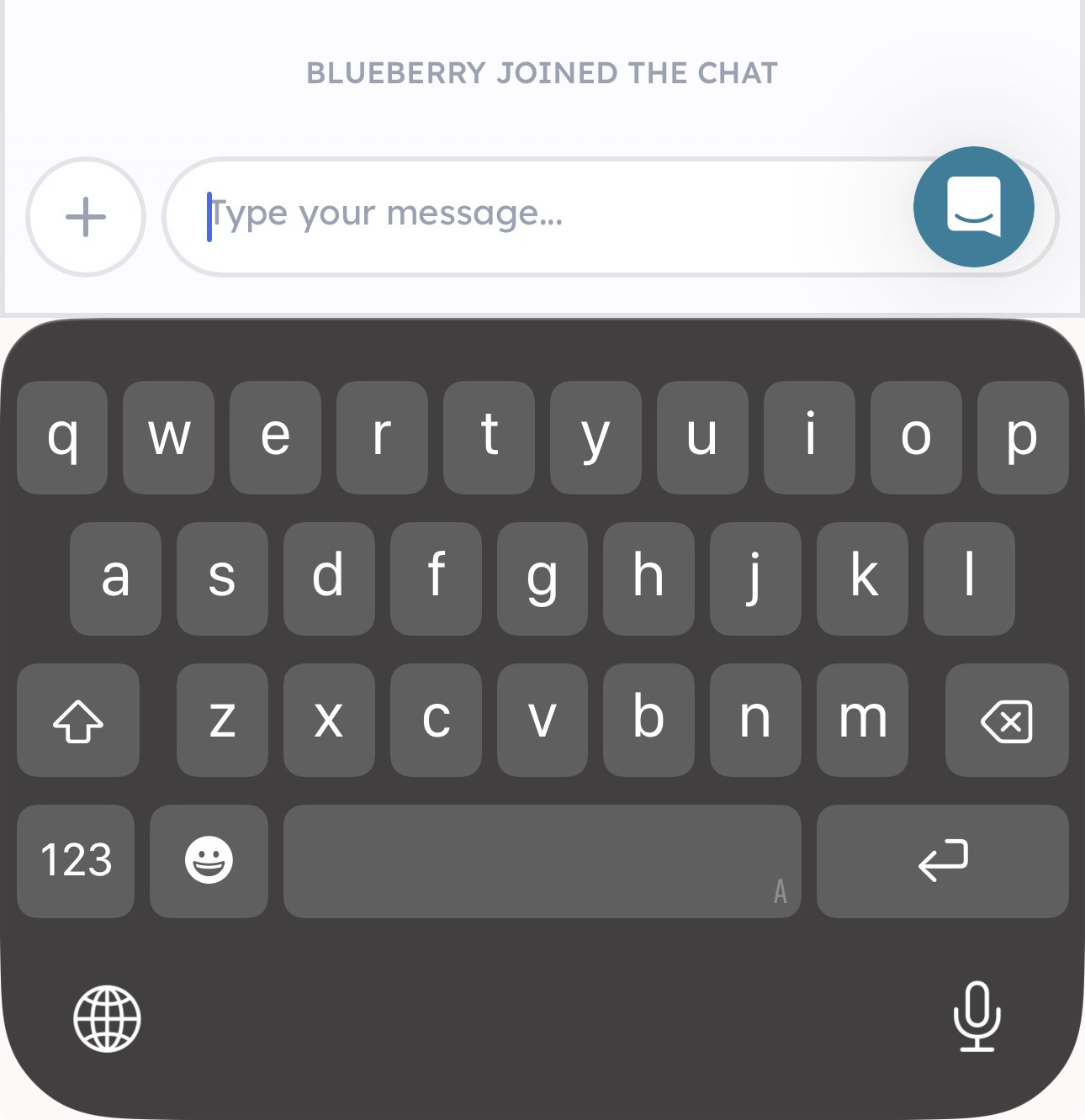

As stated in title, could we get a feature to reorganise or "randomize" manually selected questions?

Recently, I decided to reset my lesson completion progress to redo the curriculum. However, when I went through the lessons, I realized that it only reset the lessons and none of the drills (adaptive or not). I think it would be helpful to have a full reset option including those drills if that's something the 7sage software engineers could be set up.
Thanks so much for everything y'all already do for us!

The law school admissions process can present a tremendous burden for many students, including those who do not recieve an LSAC fee waiver. I think that a way to track application fees, CAS fees, and application fee/CAS report fee waivers would be a very useful feature for many 7Sage users.
A user could toggle on the "Application Costs" option and see each school's application fee. It would be incredibly useful if 7Sage could compile information on each school's waiver system (for example, Georgetown has a merit-based waiver application or Duke often sends out unsolicited offers). Whatever information 7Sage can access could be shared with students to help them lower their application costs.
Then, a user could input any fee waivers that they are issued (and the code that they're given, if applicable, so they always have access to it) and the cost could be subtracted from their "Total Application Cost" at the bottom of the page.
Currently, I do this exact thing in a Google Spreadsheet. However, the ability to do everything in 7Sage would be very useful.

Just for some context: I like reading all the comments when reviewing questions because sometimes students have better explanations. I noticed there’s a new feature in the comments that will show you how many people are on the same question, but when it updates that number, it will bring the comments back up to the beginning. This can be pretty annoying especially when I’ve spent time scrolling through dozens of comments and it will automatically bring me back up. Anyone else experiencing this? #help

Being able to mark completed videos as watched. And ability to sort recorded sessions by watched/ unwatched.

Hi! I feel like it would be really beneficial if there was a cheaper subscription tier for after having taken the LSAT but still going through the admission process. I am currently considering canceling my subscription if I end up not needing to retake the LSAT (fingers crossed) but would like to still have access to the helpful admissions materials and discussions. Maybe this is already and option that I haven’t explored.

Would it be possible for us to add a "incorrect on last x takes" (e.g. last 3 takes, last 2 takes, etc)? Some times I want to target questions that I've been incorrect more than once but when I click on that I often get questions that I later understood; while incorrect on last take might've been a silly mistake. I feel like an incorrect on last x consecutive takes would be super helpful. Just a thought!